
REST, GraphQL & WebSocket
Every body type and every common auth: Bearer, JWT, Basic, Digest, API key, OAuth 1.0 & 2.0, AWS Signature and Hawk.
Point Shurikly at a project and get every route as a ready-to-send request. Test, mock and document your APIs with built-in AI, on your machine. No account. No cloud.
One workbench
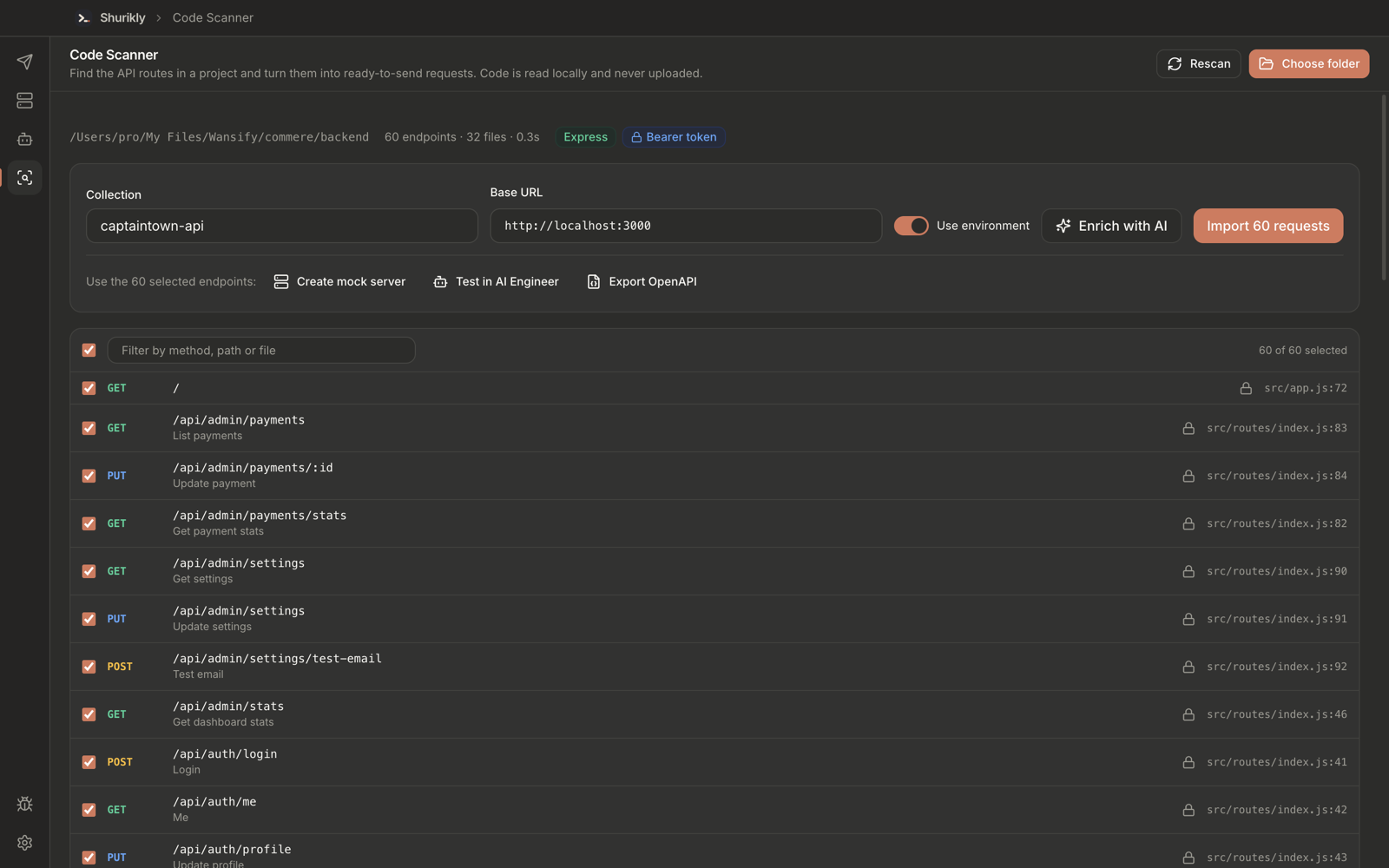
Finds every route in your backend and every call in your frontend, in under a second. Read locally, never uploaded.
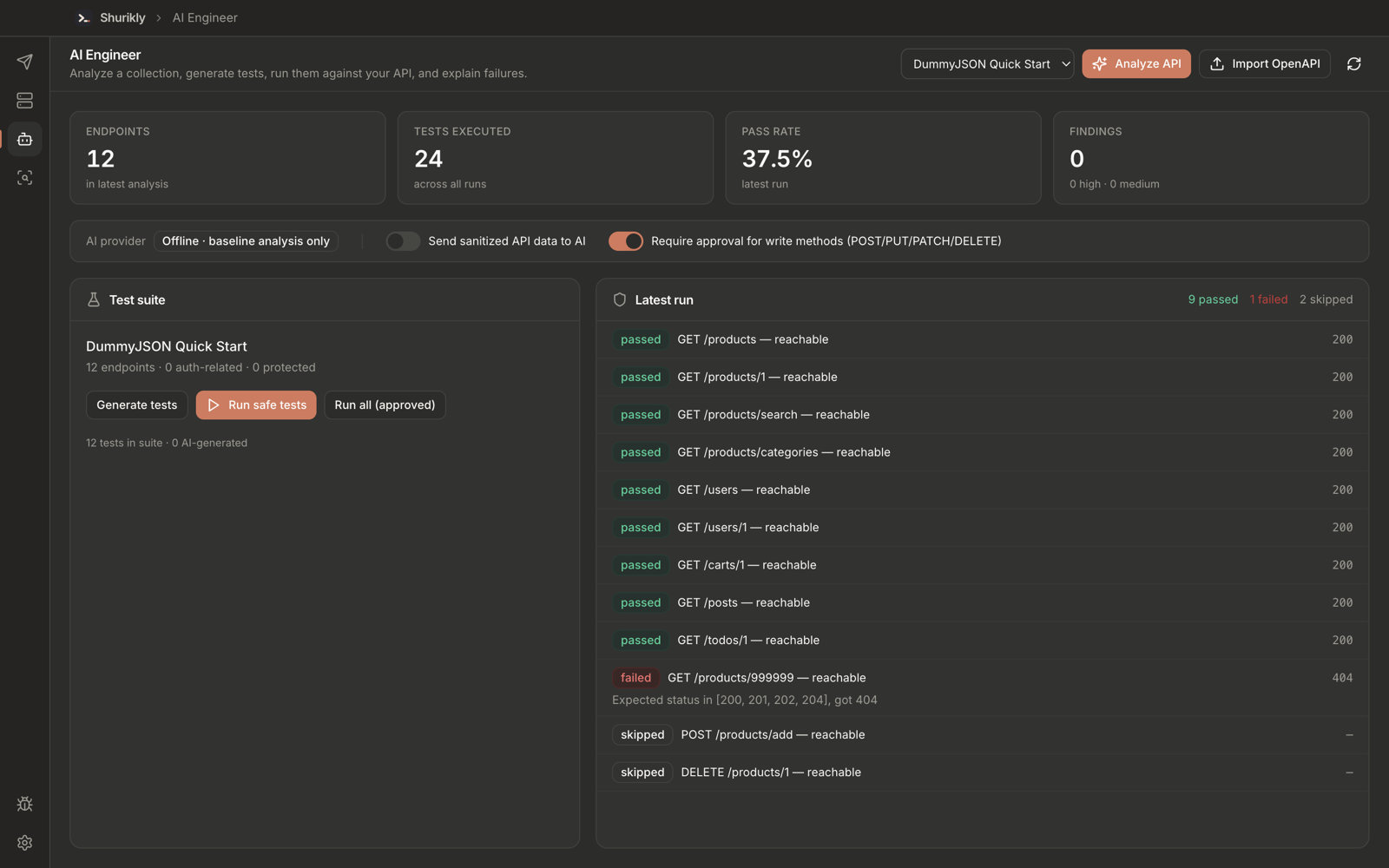
Generate, run and explain. Bring your own model, or stay fully offline.
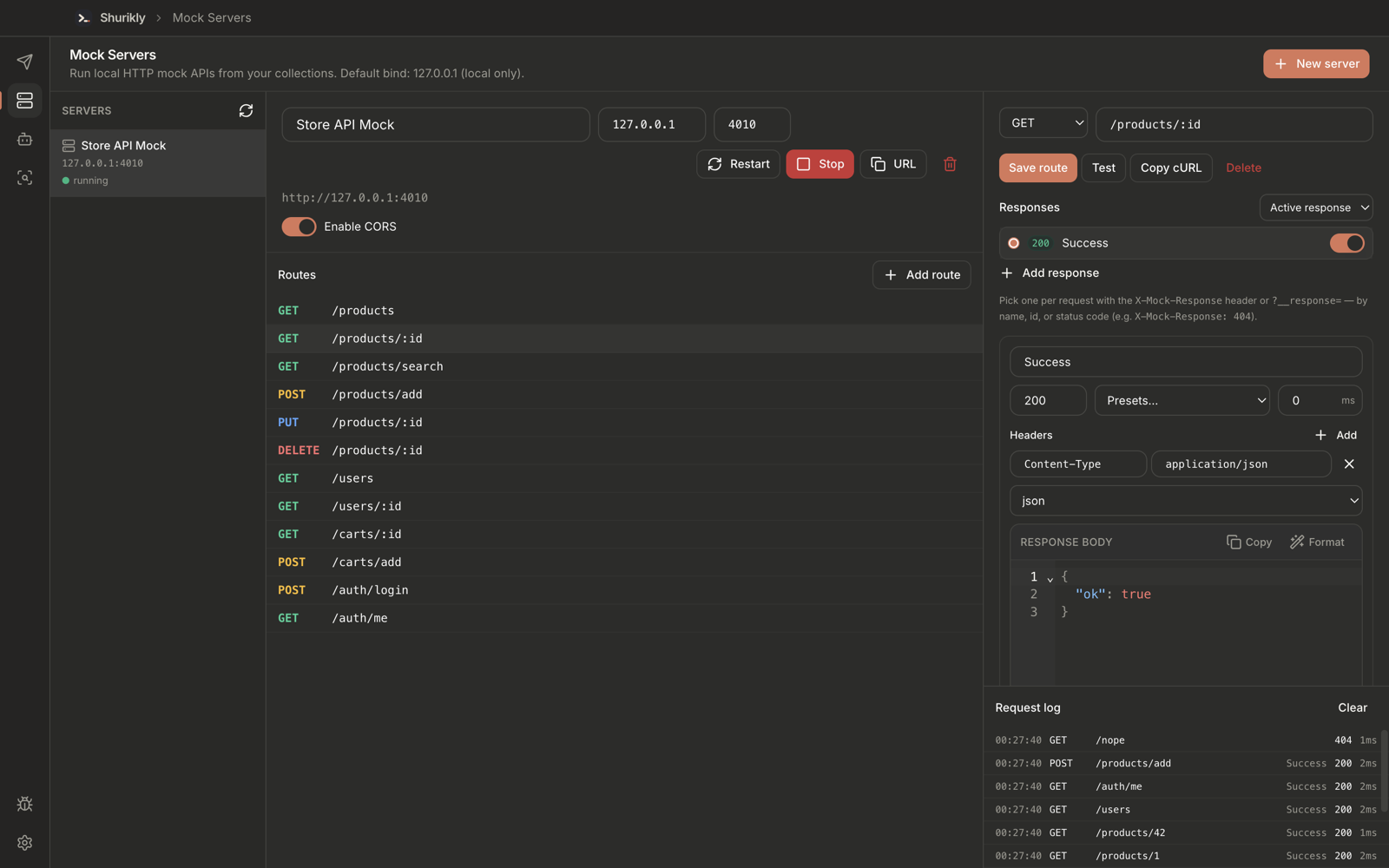
One click from any collection to a local fake API with a live request log.
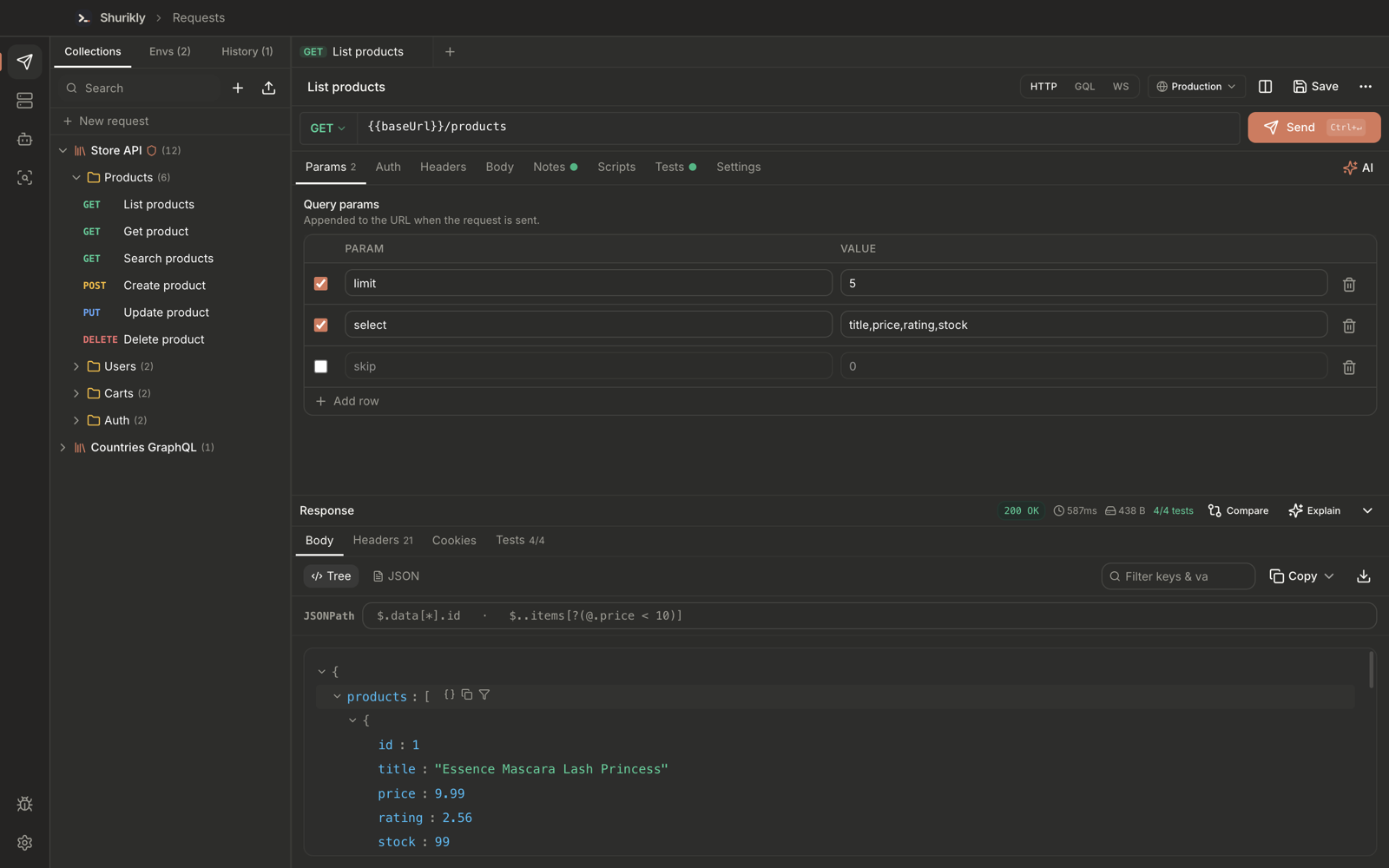
Environments, every common auth type, JSONPath, scripts and a collection runner.
Claude, Cursor and any MCP agent can work with your live workspace. Local, behind a token.
Plain JSON files on your disk — git-friendly by design.
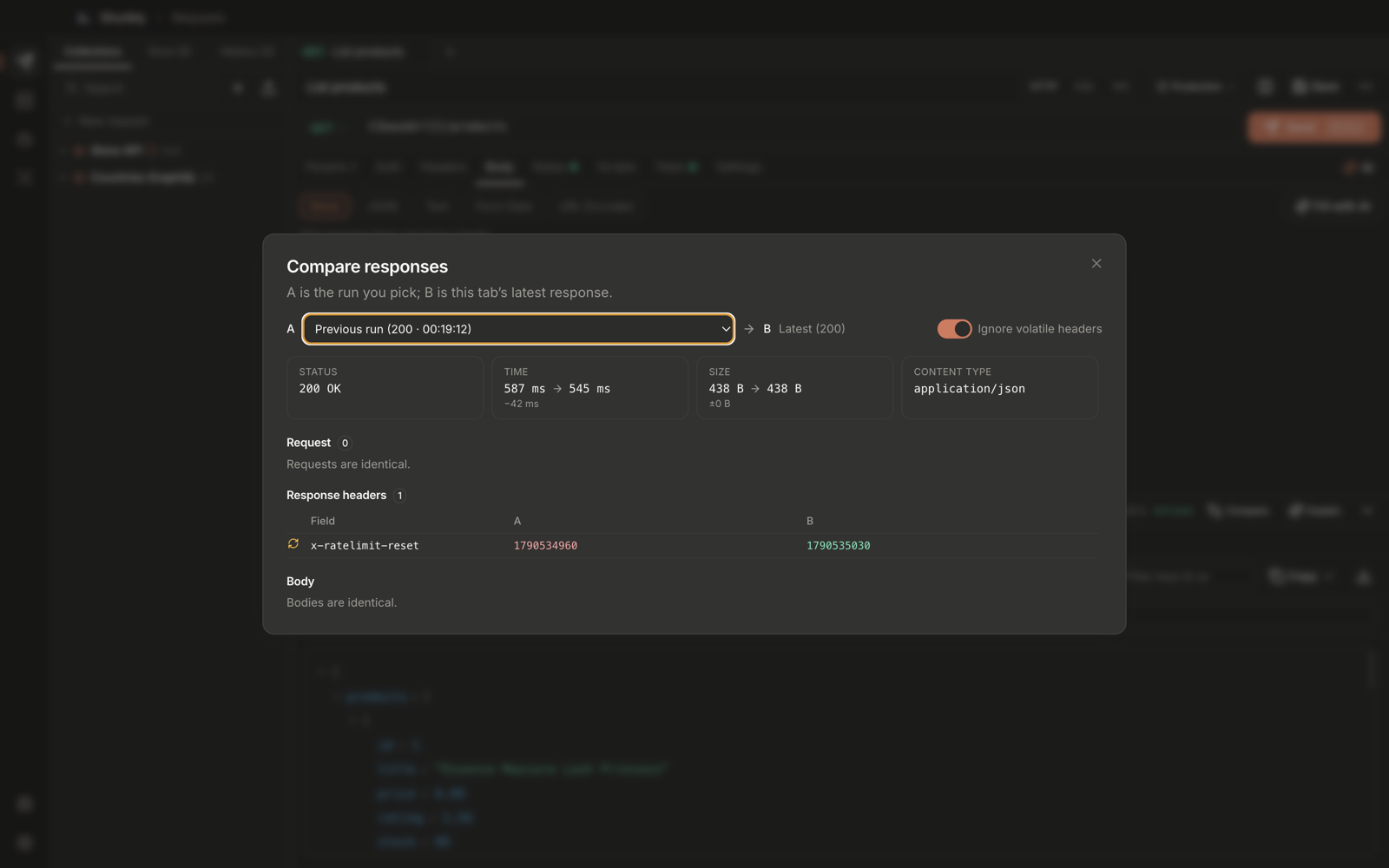
Diff status, timing, headers and body against any run.
Every body type and every common auth: Bearer, JWT, Basic, Digest, API key, OAuth 1.0 & 2.0, AWS Signature and Hawk.
Introspection, autocomplete and validation, operation selection and a data / errors view.
JSON tree, JSONPath, find-in-body, image / PDF / media previews and a hex view.
Folders with inherited auth, history, tabs and {{variables}} per environment.
Pre-request scripts, assertions and a collection runner with readable reports.
Postman, OpenAPI and cURL in. Postman, OpenAPI, cURL and Markdown / HTML docs out.
Generate requests from plain English, explain responses, fix failures. Your key or local Ollama.
Plain JSON files on your disk. API keys live in the operating system's secure storage.
Searchable logs and local bug reports with automatic credential redaction.
How it works
Shurikly starts from your source code and your specs, not from a blank request.
Point Shurikly at a project folder. It finds the routes in your backend and the calls in your frontend, then builds a ready-to-send collection.
Detected   Express · Next.js (app router)
Routes     42 backend · 31 frontend calls
Linked     29 calls → routes
Auth       Bearer (middleware: requireUser)

✓ Collection "store-api" created — 42 requests
✓ Environment "local" — baseUrl = http://localhost:3000
Why Shurikly
| Shurikly | Typical cloud API client | |
|---|---|---|
| Account required | No | Usually |
| Where your collections live | JSON files on your disk | Vendor cloud |
| Source code | Open (MIT) | Closed |
| Price | Free | Free tier + paid seats |
| Generate collections from source code | Yes | Rarely |
| AI with your own key or local model | Yes — incl. Ollama | Vendor AI, often paid |
| Local mock servers | Yes | Often cloud-hosted |
| MCP server for AI agents | Built in | Varies |
Download · v1.0.0
Installers for every platform go live on launch day. Until then, here's the countdown.
Download links and the GitHub repository appear here on launch day.
Bookmark this page, or follow Wansify Ventures for the announcement.
Shurikly launches in
First launch: right-click the app → Open.
If SmartScreen appears, choose More info → Run anyway.
chmod +x Shurikly-*.AppImage and run it.
Prefer source? It's published on GitHub on launch day — see the build guide · System requirements
Open source
Shurikly is MIT licensed. Read every line, fork it, ship it inside your company, or help shape what comes next. Issues, ideas and pull requests are all welcome.
Electron · React 19 · TypeScript
Vite · TailwindCSS · Zustand · CodeMirror

electron/main/   HTTP engine, AI, MCP,
                 mock server, code scanner
src/modules/     api-studio · code-scanner
                 ai-engineer · mock-server
shared/          typed IPC contract
FAQ
Yes. It is MIT-licensed open source with no paid tier, no seat limits and no account. If you use a hosted AI provider, you pay that provider directly with your own key — or use Ollama for free, fully local AI.
Only the requests you send, to the servers you send them to. Collections, environments, history and settings are JSON files in your app data folder. AI features only send API data to a provider when you turn that on, and secrets are redacted first.
Yes. Import Postman collections or paste cURL commands. You can also export back to Postman, OpenAPI, cURL, or Markdown / HTML documentation.
macOS 12 (Monterey) or later on Apple silicon and Intel, Windows 10 and 11 (x64), and Linux via AppImage.
Version 1.0.0 builds are not yet notarized by Apple. Right-click Shurikly in Applications and choose Open once; after that it opens normally. You can also build it yourself from source.
JavaScript and TypeScript (Express, Fastify, NestJS, Next.js and common frontend HTTP libraries), Python (FastAPI, Flask, Django / DRF) and OpenAPI / Swagger files. More frameworks are on the roadmap.
Shurikly is a product of Wansify Ventures, released as open source under the MIT License.